

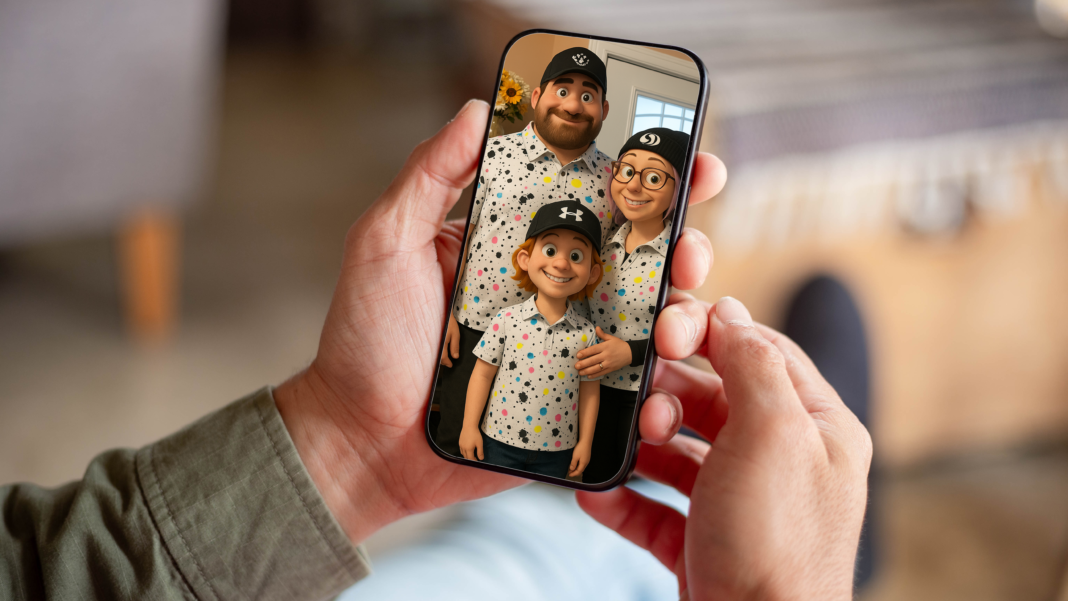

Artificial intelligence is changing the way people create, edit, and use digital images. Tasks that once required advanced graphic design skills can now be completed with simple text instructions. From realistic photographs and illustrations to marketing graphics and imaginative artwork, AI-powered image generation offers new opportunities for individuals, businesses, students, and content creators. Instead of spending hours searching for the right image or learning complicated design software, users can describe their ideas and explore AI-generated visuals that match their requirements.
The chatgpt ai image generator is a useful option for people who want to turn written descriptions into creative visual content. Users can explain the subject, background, colours, composition, lighting, and artistic style they have in mind. The system then uses artificial intelligence to interpret those instructions and generate an image. Depending on the available features, users may also be able to refine an existing image, change specific elements, or request a different visual style. Understanding how this technology works can help users produce more relevant results and make better creative decisions.
What Is a ChatGPT AI Image Generator?
A ChatGPT AI image generator is an artificial intelligence feature that helps users create visual content from natural-language prompts. Rather than drawing every detail manually, users describe what they want to see, and the AI generates an image based on the request. This makes image creation more accessible to people who have ideas but limited experience with professional design tools.
For example, a user might request an illustration of a futuristic city at sunset, a product photograph against a clean background, or a colourful educational poster about the solar system. The quality and accuracy of the result depend on the prompt, the capabilities of the image model, and the complexity of the requested scene.
This technology can support a wide range of creative activities, including website design, social media content, educational materials, presentations, concept art, and personal projects. It does not eliminate the need for human creativity. Instead, it provides another way to explore ideas, test different concepts, and develop visual material more efficiently.
How Does AI Image Generation Work?
AI image generation uses machine learning models trained to identify patterns and relationships in visual information. These systems learn how different objects, colours, textures, environments, and artistic styles can appear in images. When a user submits a prompt, the model interprets the description and generates a visual representation that attempts to match the requested details.
The process begins with a written instruction. The user might describe a peaceful mountain landscape with a lake, snow-covered peaks, morning sunlight, and realistic photography. The model processes the description and creates an image that reflects the requested subject and atmosphere.
The generated result may not always match the original idea perfectly. Complex scenes, detailed text, unusual object arrangements, and precise visual requirements can be challenging. Users can often improve the outcome by providing clearer instructions, simplifying complicated requests, or asking for adjustments.
A typical image-generation workflow includes these steps:
-
Describe the idea: Explain the subject, setting, style, and purpose of the image.
-
Add visual details: Specify colours, lighting, perspective, mood, and composition.
-
Generate the image: Submit the prompt and review the result.
-
Evaluate the output: Check whether the image meets the original requirements.
-
Refine the prompt: Request changes to improve the final visual.
This iterative approach helps users move from a broad concept to a more polished image.

Key Features of AI-Powered Image Creation
Modern AI image tools offer capabilities that support different types of creative work. The exact features available depend on the model, account, and interface being used, but several functions are especially useful for everyday image creation.
Text-to-Image Generation
Text-to-image generation allows users to create images from written descriptions. A short prompt can produce a basic concept, while a detailed prompt can provide more guidance about composition, lighting, and style. This feature is helpful for generating illustrations, backgrounds, conceptual artwork, and creative visuals without drawing every element manually.
Image Editing and Refinement
Some AI image workflows support editing existing images through conversational instructions. Users may ask to replace a background, adjust colours, introduce new objects, or change the atmosphere of a scene. Depending on the tool, edits can preserve some original details while modifying others.
Multiple Artistic Styles
AI can produce different visual approaches, including realistic photography, digital paintings, cartoons, minimal illustrations, and cinematic scenes. Specifying a clear style helps guide the output towards the intended appearance.
Creative Idea Exploration
Image generation makes it easier to compare alternative concepts. A business owner could explore several product-presentation ideas, while a designer might test different colour palettes or layouts before choosing a final direction.
Benefits of Using AI for Image Creation
One major advantage of AI image generation is accessibility. People do not necessarily need professional illustration skills to create a useful visual concept. A clear description can be enough to begin, making the process approachable for beginners and experienced creators alike.
Speed is another important benefit. Creating an initial visual concept through traditional design methods may require sketches, stock-image research, or several rounds of manual editing. AI can help generate starting points quickly, allowing users to spend more time evaluating ideas and improving the final result.
The technology can also support creative experimentation. Users can explore different environments, moods, colour combinations, and compositions without starting every concept from scratch. For businesses, this may simplify early-stage marketing development. For educators, it can help produce illustrative material that makes abstract topics easier to understand.
Additional benefits include:
-
Greater accessibility for users with limited design experience.
-
Faster development of initial concepts and visual drafts.
-
More opportunities to experiment with artistic styles.
-
Flexible image creation for different digital platforms.
-
Support for brainstorming, storytelling, and educational projects.
-
Reduced dependence on manual illustration for some tasks.
However, AI-generated images still require review. Users should check visual accuracy, image quality, licensing conditions, and suitability for the intended audience before publishing or distributing their work.
Practical Uses of the ChatGPT AI Image Generator
The chatgpt ai image generator can support creative work across many industries. Its usefulness depends on the quality of the instructions, the image model’s capabilities, and the requirements of the project.
Social Media Marketing
Social media managers need fresh visual content to maintain an active online presence. AI-generated images can help develop campaign concepts, themed backgrounds, promotional illustrations, and supporting graphics. They can also help creators test different visual directions before investing time in a complete campaign.
Website and Blog Design
Website owners and bloggers often need visuals that complement their written content. AI can generate conceptual illustrations, decorative backgrounds, and topic-specific artwork. These images can make pages more engaging when they are relevant to the subject and optimised for the website’s layout.
E-Commerce Product Concepts
Online sellers can use AI-generated visuals to explore packaging concepts, product scenes, and advertising ideas. However, generated images should not misrepresent the actual appearance, features, or condition of a product. Accurate product photography remains important when customers need to see exactly what they are purchasing.
Education and Learning
Teachers and students can create visual explanations of historical settings, scientific concepts, fictional environments, and classroom topics. These images can support presentations and learning activities, although factual illustrations should be checked carefully for inaccuracies.
Personal and Creative Projects
Individuals can use AI to explore character concepts, fantasy landscapes, greeting-card ideas, room-design inspiration, and story illustrations. This flexibility makes the technology useful for experimentation, entertainment, and personal expression.
Comparison of AI Image Creation and Traditional Design
AI image generation and traditional design serve overlapping but different purposes. The best approach depends on the project’s complexity, the desired level of control, and the final use of the image.
|
Feature |
AI Image Generation |
Traditional Design |
|---|---|---|
|
Starting process |
Written prompts or image inputs |
Sketching, editing, or manual composition |
|
Required skills |
Prompt writing and visual evaluation |
Design software and artistic techniques |
|
Initial concept development |
Often fast |
May require more preparation |
|
Creative control |
Depends on model and editing options |
Can provide detailed manual control |
|
Revisions |
Prompt-based or tool-assisted changes |
Direct, layer-by-layer adjustments |
|
Best applications |
Concept exploration and rapid visual drafts |
Precise layouts and production-ready assets |
|
Main limitation |
Results can contain unexpected errors |
Detailed work may take considerable time |
These methods can also be combined. A designer might generate several concepts with AI, select the strongest option, and then refine typography, layout, colours, and other details manually. This approach balances speed with professional control.

How to Write Effective Image Prompts
Prompt quality has a significant influence on the relevance of generated images. A vague request may produce an unexpected result because the model has limited guidance about what the user wants. A structured description can reduce ambiguity and improve consistency.
Begin with the main subject. Explain what should appear in the image, then describe the environment and the visual style. Add important details about lighting, camera angle, colour palette, mood, and composition where relevant.
For example, instead of writing “a beautiful garden,” try a more descriptive instruction such as “a realistic botanical garden with curved stone pathways, colourful seasonal flowers, soft morning sunlight, and a peaceful atmosphere, photographed from eye level.”
A useful prompt structure is:
-
Subject: What should the image show?
-
Setting: Where does the scene take place?
-
Style: Should it look realistic, illustrated, cinematic, or minimalist?
-
Lighting: Is the scene bright, dramatic, soft, or shadowy?
-
Composition: What should appear in the foreground and background?
-
Purpose: Is the image intended for a blog, advertisement, presentation, or personal project?
You do not need to include every detail in every prompt. Start with the most important requirements and add further instructions when the first result needs improvement.
Common Mistakes to Avoid
Even capable AI systems can produce images that differ from the intended result. Understanding common mistakes can help users avoid unnecessary revisions and improve their workflow.
One frequent problem is using prompts that are too vague. If a user asks for a professional business image without explaining the subject, setting, or visual style, the result may not fit the intended brand. Adding relevant details makes the request more specific.
Another mistake is including too many unrelated ideas in one prompt. A description that combines several settings, conflicting art styles, and complicated object arrangements can make the desired composition difficult to achieve. It is often better to generate a focused image and refine it gradually.
Users should also avoid assuming that every generated detail is accurate. AI images may contain distorted hands, inconsistent objects, incorrect proportions, or misleading visual information. Images containing charts, labels, diagrams, or factual subjects need particular attention.
Before using an image, remember to:
-
Review the output for visual errors and inconsistencies.
-
Check that important objects appear in the correct positions.
-
Verify factual details when accuracy matters.
-
Confirm that the image meets the platform’s dimensions and quality requirements.
-
Review applicable usage terms and intellectual property considerations.
Responsible and Safe Use of AI-Generated Images
AI-generated content should be created and used responsibly. Users need to consider privacy, consent, copyright, and the potential impact of misleading visual material. For example, creating a clearly fictional fantasy landscape presents different risks from generating a realistic image that falsely depicts a real person or an actual event.
Avoid uploading confidential documents, private photographs, or sensitive information unless you understand the service’s privacy terms and have the necessary permission. When generating images of identifiable people, respect their consent and avoid creating deceptive or harmful representations.
Copyright and commercial-use questions also deserve attention. The rights and restrictions associated with generated images can depend on the service’s terms, the content used as input, and applicable laws. Businesses should review these considerations before using AI-generated visuals in advertising, product packaging, or commercial campaigns.
Transparency is particularly important when an image could be mistaken for documentary evidence or an authentic photograph. Responsible use helps maintain trust with audiences and reduces the risk of confusion.
The Future of AI Image Generation
AI image technology continues to develop, with improvements in prompt understanding, editing, image consistency, and integration with creative workflows. These developments may make it easier to produce visual material that follows detailed instructions and fits specific professional requirements.
Businesses may increasingly combine AI-generated concepts with conventional design tools, while educators and independent creators may use conversational systems to develop customised learning resources and original artwork. Improvements in editing could also help users make targeted changes without rebuilding an entire image.
Nevertheless, human judgement will remain important. Creative professionals contribute context, brand understanding, storytelling, cultural awareness, and quality control. AI can accelerate certain tasks, but it does not automatically guarantee originality, factual correctness, or commercial suitability.
The most effective approach is to treat AI as a creative assistant. Users can explore possibilities quickly, assess the results critically, and apply their own expertise to produce meaningful visual content.
Conclusion
AI image generation is making digital creativity more accessible by allowing people to turn written ideas into visual concepts. From social media graphics and blog illustrations to educational resources and product concepts, the technology offers practical ways to experiment with images and develop content more efficiently.
The chatgpt ai image generator can be especially useful when users provide clear prompts, review the generated results, and refine their instructions according to the project’s needs. Understanding its capabilities and limitations helps users achieve better outcomes while avoiding common mistakes.
As AI tools continue to evolve, combining automated image creation with human creativity, responsible practices, and careful quality checks will remain essential. Whether you are a beginner, content creator, student, or business owner, learning how to describe and evaluate visual ideas can help you make more effective use of AI-powered image generation.